

“Stay calm when your account is frozen — complete KYC, contact support, and follow the legal process to restore access.”
Step 1 – Check Reason for Freeze
Open Airtel Thanks app or contact customer support to know why your account is blocked.
Step 2 – Complete KYC Verification
Complete KYC by submitting Aadhaar Card, PAN Card, mobile verification, and address proof. You can update KYC through the Airtel Thanks app, Airtel Store, or Video KYC option.
Step 3 – Contact Airtel Payments Bank Support
Call or email support and request unfreeze.
Customer Care: 400 / 8800688006
Email: wecare@airtelbank.com
Step 4 – Visit Airtel Store
If the issue is not solved online, visit the nearest Airtel Store with Aadhaar Card, PAN Card, registered mobile number, and an application letter to request account unfreeze.
How to Unfreeze Airtel Payments Bank Account
Freezing of bank accounts has become common nowadays due to strict banking rules, incomplete KYC, suspicious transactions, cyber-fraud complaints, or security verification by banks. Many users of Airtel Payments Bank face the problem of their account being blocked or frozen without understanding the exact reason. When an account is frozen, users are unable to withdraw money, make payments, or use online banking services, which can create serious problems in daily life.
In most cases, the account is frozen for safety purposes to prevent fraud, illegal transactions, or misuse of banking services. However, many customers do not know the correct process to resolve the issue and get their account unfrozen.
In this blog, we will explain the reasons, RBI rules, legal guidelines, and step-by-step process to unfreeze Airtel Payments Bank account in India, so that you can restore your account access quickly and safely.



Why Airtel Payments Bank Account Gets Frozen
Your account in Airtel Payments Bank may be frozen due to security or compliance reasons. Banks follow strict rules to prevent fraud, illegal transactions, and misuse of digital banking services. If unusual activity is detected or KYC verification is incomplete, the bank may temporarily block the account. When an account is frozen, you cannot withdraw money, send payments, or use online banking until the issue is resolved.
One of the most common reasons is incomplete KYC, such as missing Aadhaar, PAN, or address details. Accounts may also be frozen due to suspicious transactions, receiving unknown payments, or large transfers flagged by the bank’s security system. Sometimes accounts are blocked because of cyber fraud complaints, RBI compliance checks, court orders, or police investigation requests, which banks are required to follow.
In some cases, multiple wrong login attempts, security alerts, or technical verification problems can also cause a freeze. Most accounts can be unfrozen after proper KYC update, document submission, or clarification to the bank.

RBI Rules About Account Freeze
According to the guidelines of the Reserve Bank of India, banks are allowed to freeze accounts if they suspect fraud, illegal activity, or incomplete KYC verification. However, banks must follow proper rules before blocking any account. These rules are made to protect both the customer and the banking system.
The bank should inform the customer about the freeze and give the reason whenever possible. If the account is blocked due to KYC or security checks, the customer must be given a chance to update documents and complete verification. Once the issue is resolved, the bank should restore the account within a reasonable time. If the bank does not respond, the customer can file a complaint to RBI or Banking Ombudsman. These rules apply to all banks, including Airtel Payments Bank.
Latest News
New Payment Card Rules for Banks in India
NPCI announced new rules for RuPay cards and banking services, showing that banking regulations are changing frequently, so customers must keep KYC and account details updated to avoid account freeze.Read More »
RBI New Rules for Digital Payments Security
The Reserve Bank of India has introduced stricter rules for digital payments and fraud protection to increase customer safety. Banks may freeze accounts if suspicious transactions are detected, and users may need to complete KYC again to restore access.

RBI Injects Funds to Maintain Banking Stability
RBI recently injected liquidity into the banking system to keep financial services stable and ensure smooth transactions across banks and payment banks. This helps prevent service disruptions for customers.
Latest Stories
“Most bank accounts are frozen due to security checks, and they can be unblocked after KYC verification and proper clarification.”https://www.youtube.com/watch?v=d3XbYKVYKjY&t=4s

Bank Account Freeze Case

Account Frozen After Suspicious Transaction

User Account Frozen After
Online Payment
Popular Post
“Read our most helpful articles to understand banking rules, account freeze reasons, and legal solutions.”
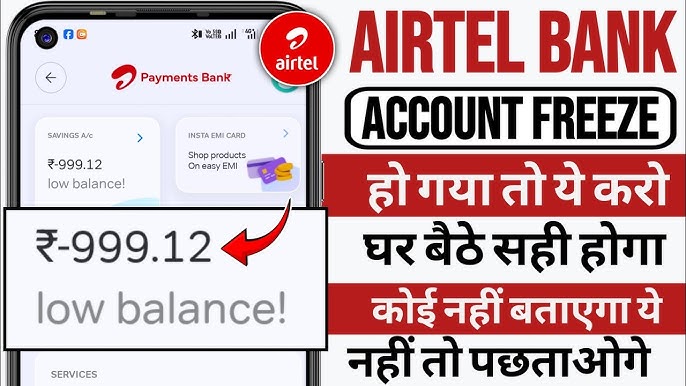
How to Unfreeze Airtel Payments Bank Account in India – Complete Legal Guide

Bank Account Freeze in India – Complete Legal Guide to Unfreeze Your Bank Account | TopLegal Help

📌 How to Withdraw Money From a Frozen Bank Account — Complete Legal Guide